

Temu had tried to work with me a couple of times in the past, and I always declined. I didn’t just want to show off cheap gadgets. When they reached out again a few months ago, I told them I’d only be interested in trying something high-end, to prove to my audience that Temu isn’t just about cheap tech. They agreed, and I picked out the LG OLED G5. Yes, it’s last year’s model, but it’s still a genuinely excellent TV, and this one comes in the 48 inch size.
Unboxing
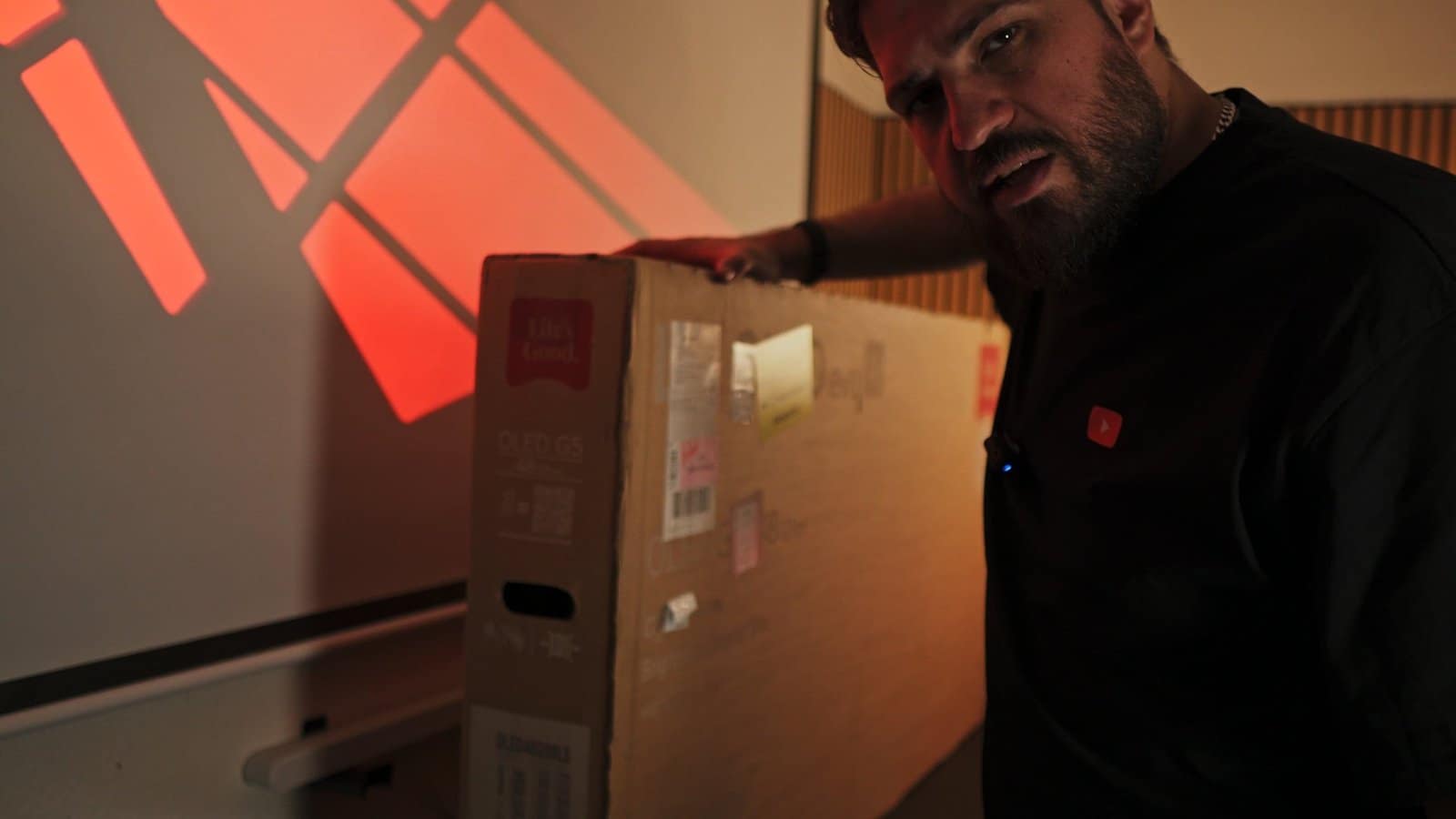
In the box: the TV itself, remote, screws, a cable holder, and batteries. I’m planning to set this up next to my workstation, so let’s see how that works out.
Why OLED Still Matters
I’ve used OLED technology for years now, and LG has always been the brand every other manufacturer gets measured against. Perfect black levels, no backlight bleeding, unbeatable viewing angles. The reason it matters: unlike LCD, every single pixel on an OLED panel lights up on its own, so when a pixel needs to show black, it just turns off completely. That’s what gives you true black, insane contrast, and zero blooming around bright objects on a dark background.
Can You Actually Trust Temu With High-End Tech?
Advertisement · This review was produced in paid partnership with Temu. The TV was provided for testing. All opinions and test results are my own.
That was the real question behind this review. The launch price on this TV was around €2,000. At the time of testing, Temu had it for just over €800, but prices on this model move constantly across all retailers, so compare before you buy. What stood out to me wasn’t just the number. Temu now offers local sellers, and mine shipped from a German warehouse in two days.
Since this was a dedicated review with Temu, they gave me something to share with you too: search for my code KKW5923 in the app for a 100€ coupon bundle, on top of the up to 90% off, free shipping, and free returns for up to 90 days that Temu already offers.
Ports & Design
Three HDMI ports on one side (HDMI 2 doubles as the eARC port), a fourth HDMI port elsewhere, plus USB ports, an IR blaster, antenna in, digital audio output, and a LAN port. All HDMI ports are HDMI 2.1, which matters if you’re connecting current-gen consoles. This is the LG OLED 48 G5, and the panel itself is remarkably thin.

Menu & Picture Settings
The blacks here are genuinely true black, pixels turn fully off rather than just dimming like on an LCD. Picture mode options include Vivid (the punchiest by default), Standard, Power Save, Cinema Home, Cinema, Game Optimizer, and Filmmaker Mode. I personally use Filmmaker Mode but dial down the warmth a bit since I’m not a fan of how yellow it runs by default, though that’s mostly personal preference.
Smart TV Apps & Dolby Vision
The remote comes with dedicated app shortcuts (varies by region), covering major streaming services plus YouTube. Testing Dolby Vision content through my Xbox Series X confirmed the obvious: brighter, more vibrant, more vivid picture with it enabled versus off.

Gaming Performance
Tested with both a Nintendo Switch 2 and a PS5, and both were recognized automatically. Tears of the Kingdom looks genuinely beautiful in HDR on the Switch 2. The TV supports up to 144Hz refresh rate on this 48 inch model (the 55 and 65 inch versions go up to 165Hz), along with G-Sync, VRR, and ALLM. LG states a 0.1 millisecond response time in gaming mode, and it feels every bit that responsive.
Game Optimizer & Audio
The built-in Game Optimizer lets you tune settings by genre, first-person shooters, RPGs, real-time strategy, sports, or a custom user profile. The TV’s built-in sound is fine but nothing special. I’d still recommend an external sound system or soundbar, or just headphones if you’re gaming on console anyway.

Cloud Gaming & Gallery Mode
There’s a built-in gaming portal supporting services like Xbox, GeForce Now, and Amazon Luna if you’ve got an active subscription, playable with a Bluetooth gamepad. When the TV isn’t in active use, the LG Gallery mode can display artwork (Bob Ross pieces included) using the remote’s pointer function to navigate, and it’ll stay in gallery mode for about an hour after you turn the TV off before fully powering down.
Using It as a Third Editing Monitor
I previously ran a 42 inch OLED as my only monitor, which turned out too big for daily use. Now I run two 27 inch monitors, one color-accurate for judging camera comparisons properly, one OLED, and I’m adding this 48 inch G5 as a third screen. In DaVinci Resolve, it works great as a clean full-screen preview monitor for my timeline while editing camera comparisons, letting me either watch a clean feed or just relax with other content when I don’t need it.

Where I got it
This G5 came from Temu. If you want to check current pricing, use the code below — it also unlocks a €100 coupon bundle for new users.
kkw5923
Open on TemuPaid partnership with Temu. Opinions and test results are my own.
The Verdict
The LG G5 itself is exactly as excellent as you’d expect. For around €800, you’re getting a genuinely great display, and you don’t always need this year’s model. If you’re looking forward to the big game releases this year (GTA 6, for one), this TV has everything you’ll need. And if your living space can’t fit a 55 inch or larger panel, 48 inches might be the sweet spot for you.
As for the real question, can you trust Temu with high-end tech? In this case, absolutely. This is a legitimate LG OLED, sold through a local seller. If that option is available in your country, it’s worth checking out.
Get your own 100€ coupon bundle with code KKW5923 at Temu, link below.