
Xiaomi finally released it’s newest flagship smartphone, the Xiaomi 13 Pro, in Europe. After it’s initial release back in December in Asia, we can finally see what the the phone has to offer for ourselves.
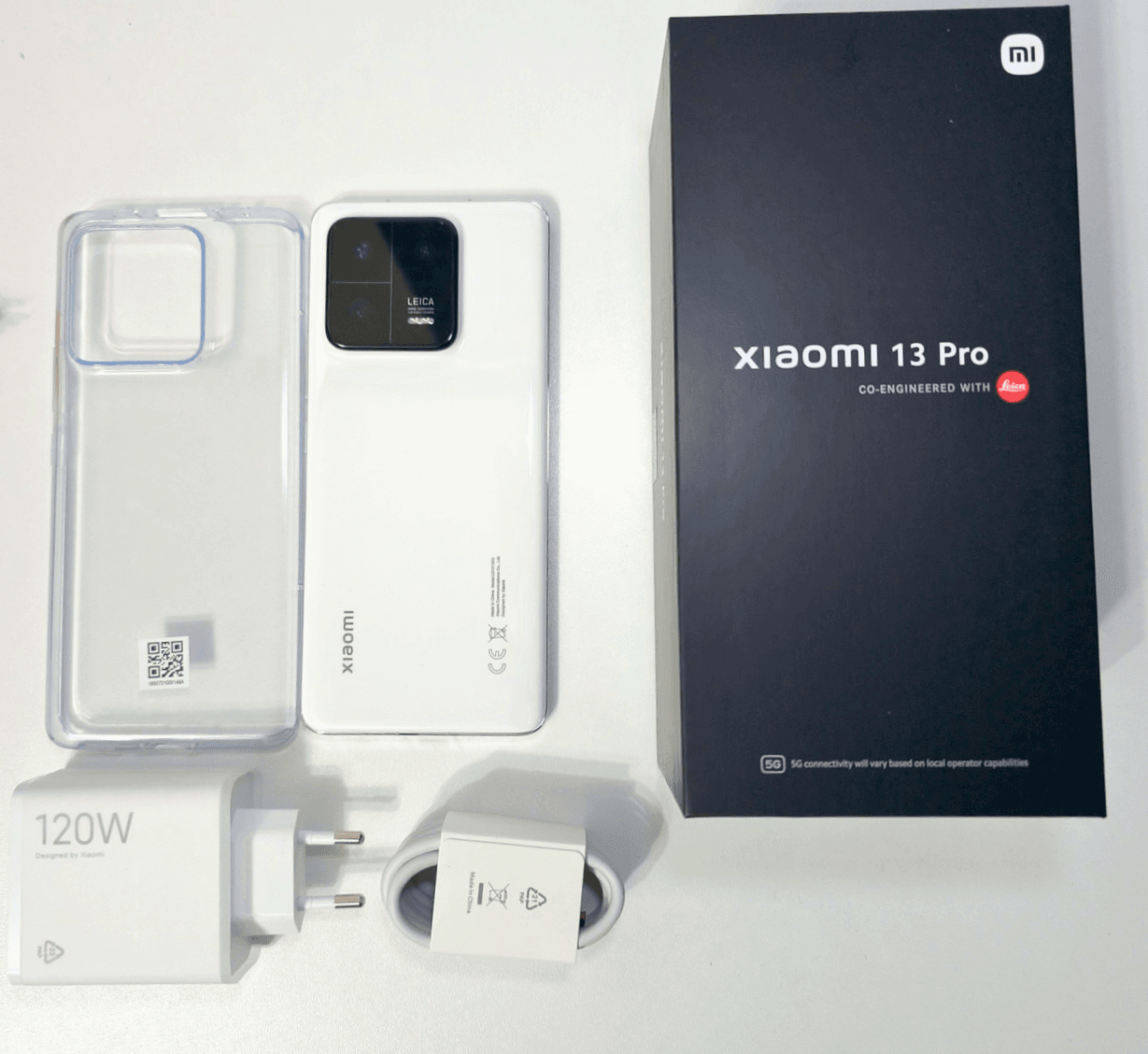
I got the phone very recent, and just did a little unboxing and took a quick look at the camera. The Xiaomi 13 Pro is packed in a brick sizes box, something we don’t see anymore from the likes of Samsung or Apple. But there is a good reason for it, since the package contains not only a massive 120W power brick to power your phone up in no time, but also a silicon case, to protect your pretty purchase from possible damage. It’s a very simple transparent case, but it is better than nothing.
Besides that, we get a sim ejector tool, a USB-C cable and some stuff to read, which is probably very important but ignored by the masses. At least by me.
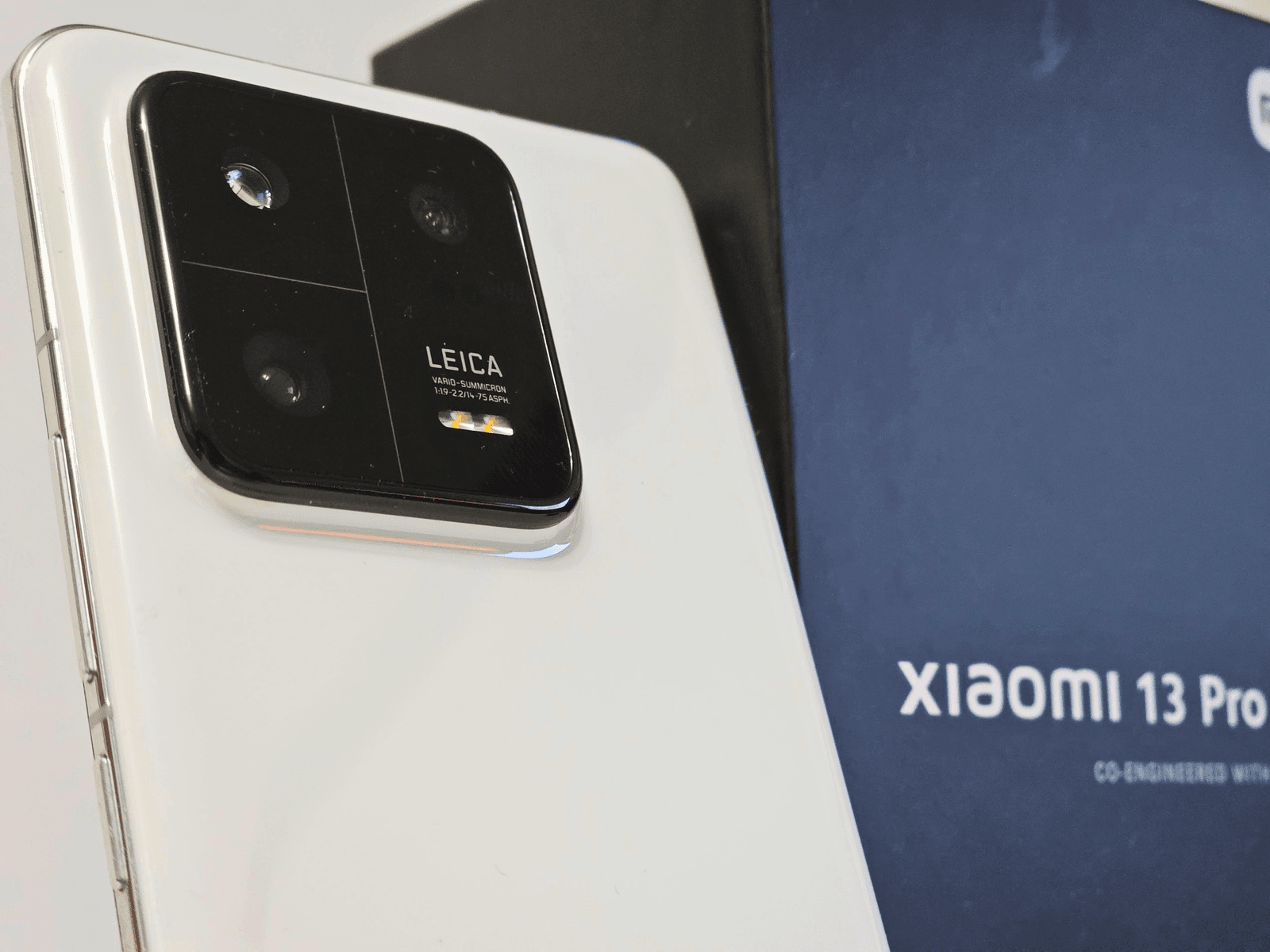
First peek at the promising camera
Upon initial inspection, one can’t help but experience a sense of delight when exploring the camera’s capabilities. The Xiaomi 13 Pro impresses with its exceptional portrait quality, while the overall images exhibit a pleasing color palette. There are two options available, namely Leica Vibrant and Leica Authentic, each providing a distinct visual effect. The former adds a touch of vibrancy to the colors, while the latter remains faithful to real-life hues. Ultimately, the choice between them boils down to personal preference in terms of visual appeal.
To my surprise, I discovered that the front-facing camera lacks the ability to record in 4k resolution. It is limited to 1080p at 30fps. However, the main camera presents a different narrative altogether, boasting an impressive capability of shooting in astonishing 8k resolution at 24fps.
The Xiaomi 13 Pro is available right now for 1299€. It comes with 12GB of RAM and 256GB of storage.
Order yours with my affiliate Link to support me without hurting yourself.
Click here for the pictures and videos of the Xiaomi 13 Pro that I took in my unboxing video.

Probably most of us came to the point where ads just ruined the fun of browsing the web, watching a video or playing a game. If you ever asked yourself what you can do against it, then let me show you how to block ads on android devices.
And the best part: It’s absolutely free and easily done by everyone, without the need to download an extra app.
Here we go:
- Open the settings of your phone
- Click on connections
- There you will go to more connection settings
- Now click on Private DNS
- Select Private DNS provider postname
- Now you have to type on dns.adguard.com
- Click save and enjoy your life without ads
And that is pretty much how to block ads on android.
Check out my camera comparison between the Huawei Mate 50 Pro and the Samsung Galaxy S23 Ultra
If you want to buy either phone, feel free to use my affiliate links:
Samsung Galaxy S23 Ultra
Huawei Mate 50 Pro
As I mentioned in my Tutorial about capturing star trials with the hyperlapse mode of the Samsung Galaxy S23 Ultra (which can be found here), I just love the night sky. At least as long as the stars are visible and the weather allows me gazing at the stars.
Let me show you how you can easily capture beautiful pictures of the lovely night sky with the Samsung Galaxy S23 Ultra.
Using a tripod is highly recommended, but leaning your phone unto something is possible too.
- Open the camera app and navigate to Experte Raw under “more”
- Activate “Astrophoto” in the top right corner
- Click on “show” for the sky guide, to see which constellations are above you
- Choose the duration between 4, 7 and 10 minutes
- Take a picture and wait for your result
And there you you have it.
Do you love taking pictures of the night sky? Feel free to share your experience and captures, weather it was done with the S23 Ultra Astrophotography mode or any other device. I would love to see what you all create. In the end, these devices are here for us to get creative and share what we create.
Have fun capturing the night!
Get your Samsung Galaxy S23 Ultra here!


It’s time for my second big camera comparison test. This time it’s between the new star from Samsung, the Galaxy S23 Ultra and the Huawei Mate 50 Pro, which sports a stunning camera system overall. I tried to pour in way more than I did with my comparison between the Mate 50 Pro and Pixel 7 Pro, which you can find here.
My first video was around the 5 minute mark, this one here is now 4-times that size. I tried to compare both phones in different scenarios and to do a better job editing the video. I hope you like it.
First of all, I do believe that both phones are capable to produce great images at day. It might come down to personal preference here, but overall, both phones managed to do really well at day. I preferred the Portraits of the Samsung Galaxy S23 Ultra a bit more.
Huawei Mate 50 Pro king of the night?
When it comes to the night mode, the Huawei seems to be doing a better job, using the main lens. The pictures have a hight dynamic range, just look way more vibrant and have more details. As soon as you switch the lens, the S23 Ultra comes out on top for me, be it ultra wide or any of the zoom lenses.
Video mode has a clear winner
Looking at the video recording capabilities of both phones, the Samsung is the clear winner. The phone isn’t just capturing the clearer video, but it is also has way better stability than the Huawei Mate 50 Pro, and that without “Super Steady” activated.
Unlike with photos, the Mate 50 Pro is especially struggling at night when it comes to videos. The videos aren’t just shakier, they suffer under the so called “jelly effect”. While also present on the footage taken with the Galaxy S23 Ultra, it is way more prominent on the Mate 50 Pro.
If you want to buy either phone, feel free to use my affiliate links:
Samsung Galaxy S23 Ultra
Huawei Mate 50 Pro
As I mentioned in my video, you can download the pictures in full quality here.


So you just got a new Samsung Galaxy S23 Ultra and want to protect your shiny new toy? I always think it is better to be safe than sorry when it comes to saving your phone. I tried out the Caseology Athlex and Nano Pop. Both cases offer a great level of protection, judging by the feel and and material used on these cases.
The Athlex is designed with athleisure in mind, Athlex is here to look effortlessly cool while staying comfy and offers two layers for optimum protection. On the other hand, the Nano Pop case has a slender and smooth design featuring a sturdy polycarbonate exterior and a soft TPU interior for enhanced protection.
While the feel of both cases differs, the level of protection seems to be about the same. Both sport an outer protection layer as well as an intern.
What I really like about these case is the fact that they completely protect the are around the camera. I know of cases where the full camera area is unprotected. Besides that, all cutouts are flawless. The speaker, charging port and S-Pen are easily accessible. The buttons give a better fell on the Athlex for me, they just feel better to click. But I think that comes down to personal preference in the end.
I myself am a fan of the more “rough” feel of the Athlex and sticked with it, just like I did with the Pixel 7 Pro variant.
You can buy the cases here:
Check out my unboxing of the Samsung Galaxy S23 Ultra here


Are you as fascinated from the night sky as me? Capturing it’s beauty is something, I always were excited to do, or better try to do. Recording Star Trails is something you can now do with the Samsung Galaxy S23 Ultra Astro Hyperlapse mode. It is really easy to use and set up. Before we start, it is recommended to use a tripod though. If you don’t have one, leaning the phone on a wall or something will suffice, but make sure that it won’t be moved during recording or you will receive a messed up picture.
- open the camera app
- under “more” you click on Hyperlapse
- choose UHD for the best quality
- on the top right corner, activate 300x
- then a symbol for star trails will appear on the right side
- activate star trails
- hit the shutter and wait
- For roughly every 5 minutes of capturing, you will record 1 second of video
The above video shows you what you can expect to get when you record for 40 minutes.
Here is another sample, recorded for a bit longer and with the moon being visible. The effect it creates is actually quite funny, not gonna lie.
And this is how the Samsung Galaxy S23 Ultra Astro Hyperlapse mode works. The longer you wait, the greater to effect will look.
Interested in general Astrophotography with the S23 Ultra? Then please check out my tutorial out here!
Get your Samsung Galaxy S23 Ultra here!
The Galaxy S23 Ultra is Samsungs newest flagship phone. The unboxing experience is really unspectacular, as it is with most phones nowadays. I got the cream color variant, boosting 512GB of internal storage and 12GB of RAM. The biggest change for most users in the world will be the fact, that Samsung finally abandoned their homebuilt Exynos processor and thankfully integrated the newest Snapdragon 8 Gen 2 in all devices worldwide.
As it seems to be common nowadays, the unboxing experience is a plain as they come. The box contains the phone, a sim ejector tool and a USB C to C cable. No charger, because the environment will be saved this way. Or so they say.
But you are here for the phone anyway. If you want to protect your phone, you might want to take a look at the Caseology Athlex or Nano Pop here.
If you are interested in purchasing the Samsung Galaxy S23 Ultra, you can get it by clicking here. Every purchase through these affiliate links will help me and won’t hurt me, so thanks!
If you want to check how the Samsung Galaxy S23 Ultra camera fares against the Huawei Mate 50 Pro, give it a look here.


The Google Pixel 7 Pro took the world of tech by storm. Not few people regarded it as the best Android Smartphone of the year, if not best Smartphone of the year period. The Pixel Phones are highly popular for their “clean” Android setup, for having the true experience unlike other phones, where the manufacturers add their own twist to the software, like Samsung with their One UI for example.
The biggest selling point for the Pixel Phones for me was always the camera setup though. Over the years, Google somehow managed to play in the big leagues with its cameras, even though their hardware was not on the level as the competition. This gap is getting close now, but how does the Pixel 7 Pro fare against a camera hardware monster like the Huawei Mate 50 Pro? Find out in my Camera Comparison Video.
If you are interested in purchasing one of these phones, feel free to use my affiliate links:


I think most of us already were in situations where randomly some song was playing on the radio, TV, or wherever and we were sure to know that song, but just couldn’t remember it’s name. Or we heard a new song and are dying to know it’s name. You could always try to search for any song manually with your smartphone… or I will show you how to use one of the best features of Googles Pixel, Now Playing. Let me explain to you how you can activate it. It is very simple to set up and free for any Pixel user to use. This feature works on every Pixel I used. It still works on my Pixel 2 which I have laying around, so give it a shot.
- Go to the Settings
- Click on Display
- Go to Lock Screen
- Here you will find Now Playing, click on it
- There you need to activate Identify songs playing nearby
Now your Pixel phone will identify most songs wherever you are. You can also add a shortcut to your home screen, to easily access the now playing history. If you ask yourself what would happen, if you aren’t connected to a network while a song is playing, then do not be worried. Now Playing will identify the songs whenever you are back online, so you won’t miss out of the great song you heard in the ancient underground cave under the city.
Works just on Google Pixel devices
How do you like this feature? It’s honestly THE feature I miss the most when I am using a non-Google phone. In an industry where copying each other has become a sport, it’s kind of baffling that no one was willing (or able) to put this feature into their own smartphone.
If you want to buy a Pixel 7 Pro to try it yourself, you can get it here. This is an affiliate link, which will give me a small commission but won’t cost you 1 cent extra.

Beauty lays in the eyes of the beholder, but calling the Huawei Mate 50 Pro a beautiful looking phone won’t be a statement many can disagree with. The unique placement of the camera gives the phone a beautiful back. Unfortunately this can’t be said about the front, since Huawei is still sticking to the notch.
Unboxing the Huawei Mate 50 Pro feels like unboxing a phone of the past, for all the right reasons. It comes pre-installed with a screen protector, includes not just a charging cable but a brick as well, which offers a speed of 66W. And if that wasn’t enough, we get a silicon case to protect the phone.
Check out my unboxing in the video above. It’s also my first tech centered video on my channel, the start to a hopefully beautiful journey on which I hope many of you will accompany me.
If you are interested in buying the Huawei Mate 50 Pro, then please check it out here.
